picdad

Food and drink

Packaged food on white, then in a scene

Put a jar, a pouch or a box on clean white for the main photo, then describe a kitchen or a picnic and get scenes drawn around it.

Food sells on appetite, but the main photo usually needs plain white. PicDad does both from one photo: a white main image, and AI scenes drawn around your own packaging, so the label and the brand are exactly what you photographed, not the AI’s guess at them.

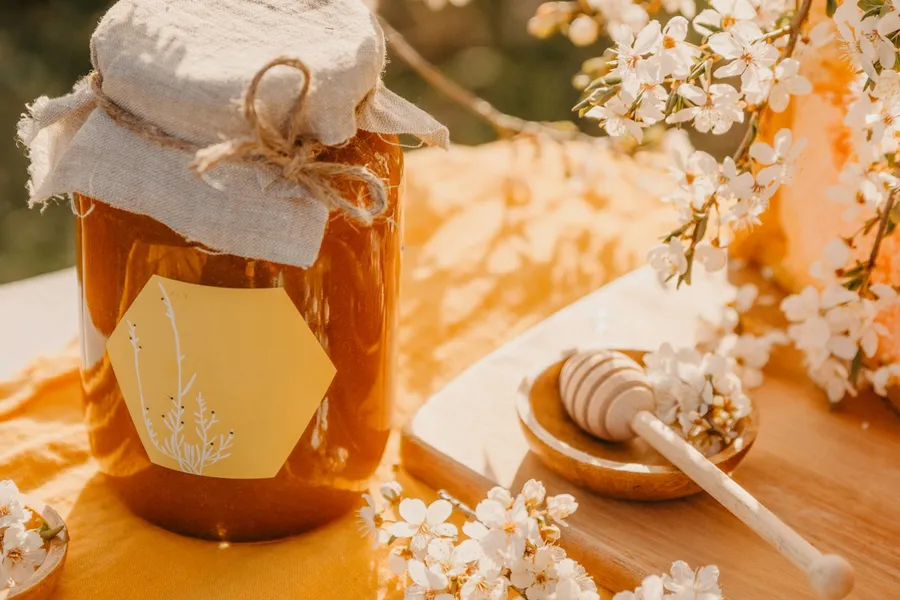
Jar of honey: the original photoBefore
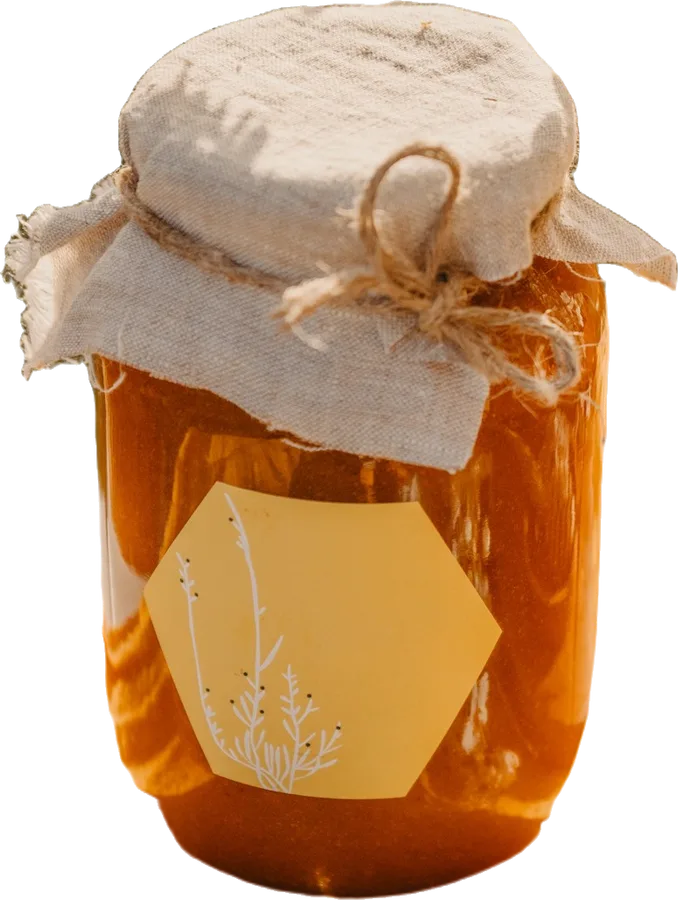
Jar of honey: prepared in PicDadAfter
Jar of honey. A real photo, before and after PicDad. The cut-out also kept the dipper and blossoms; they were removed to leave the jar, as Touch up lets you do.

What makes it tricky

Food, honestly

  • Labels. AI image tools tend to redraw text. PicDad places your cut-out on top of the scene, so the label is your photo, letter for letter.
  • Props in front. The AI sometimes draws something that would sit in front of the product. Your cut-out goes on top, so it covers those props. Pick the scene that works.
  • Main photo rules. Many marketplaces want the first photo on white. Keep one white image and use scenes for the rest.

Before you shoot

A better photo to start from

  1. Shoot the packaging straight on, label facing the camera
  2. Use daylight and turn the pack until the label is free of glare
  3. Keep the whole pack in view, lid and base included
  4. Describe a simple scene: “a rustic wooden table at a barbecue”

Your next listing starts here

Give your product
a little breathing room.

Bring a photo. Pick a starting point. Make it yours.

Open the studio ↗︎