picdad

Jewelry

Jewelry photos that show the detail

Lift a necklace, ring or pair of earrings off a busy background and put it on clean white, large enough for buyers to zoom in.

Jewelry is small, shiny and full of fine edges. PicDad cuts it out on our own AI model, fills the frame with the piece rather than the table it sat on, and exports a 2000 × 2000 JPEG so the stone and the clasp hold up when a buyer zooms in.

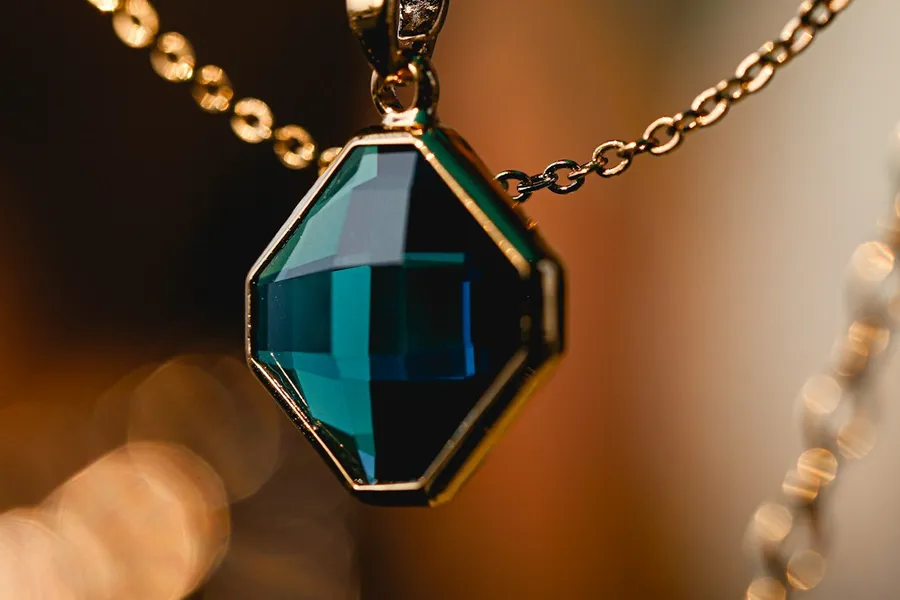
Pendant necklace: the original photoBefore
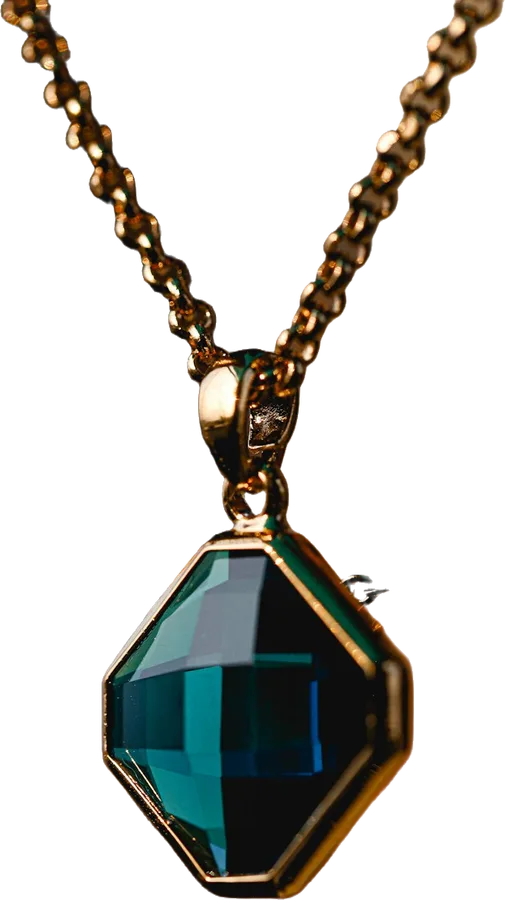
Pendant necklace: prepared in PicDadAfter
Pendant necklace. A real photo, before and after PicDad.

What makes it tricky

Jewelry, honestly

  • Fine chains. Thin chains are the hardest edges for any cut-out. Check them at full size before you download. If a cut-out comes back poor, it doesn’t use a photo from your allowance.
  • Reflections. Metal and stones mirror whatever is around them. A cut-out removes the background, not the reflections in the piece, so shoot away from bright windows and busy rooms.
  • Small in the frame. A ring can be a few percent of the photo. The setup scales the piece up to fill the frame, so shoot close but keep the whole piece in view.

Before you shoot

A better photo to start from

  1. Shoot in soft daylight, away from direct sun and lamps
  2. Lay the piece on a plain surface that contrasts with the metal
  3. Fill the photo with the piece and keep the clasp and chain in view
  4. Add close-ups of hallmarks, stones and any wear

Your next listing starts here

Give your product
a little breathing room.

Bring a photo. Pick a starting point. Make it yours.

Open the studio ↗︎