picdad

Clothing

Clothes on a clean background, flat or hung

Take the bedroom floor or the door out of your flat-lay and hanger photos, and keep the garment exactly as it is.

Resale buyers scroll fast, and a clean background makes the garment the first thing they see. PicDad cuts the piece out, flat lay or on a hanger, and puts it on white in a large square that suits Poshmark, Depop, Vinted and eBay alike.

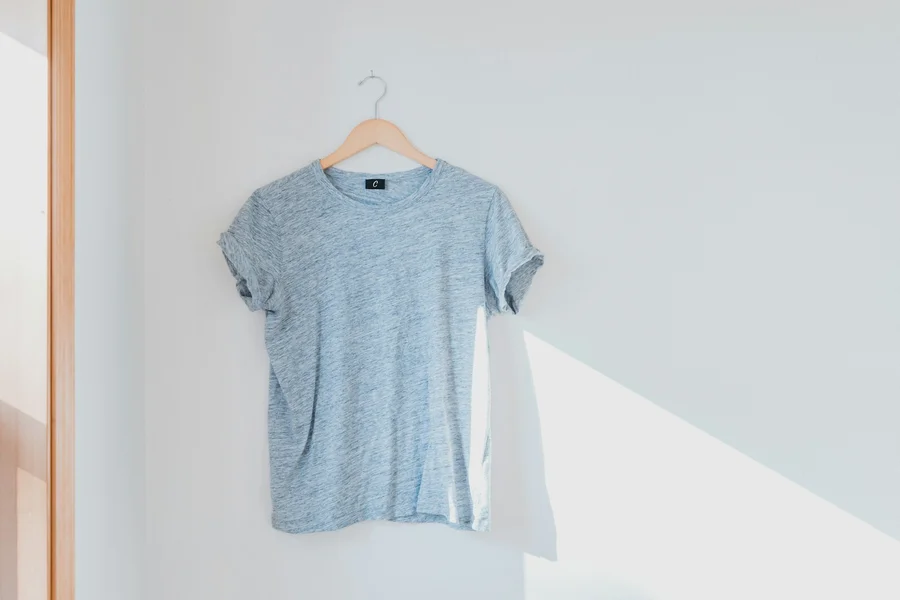
The everyday tee: the original photoBefore
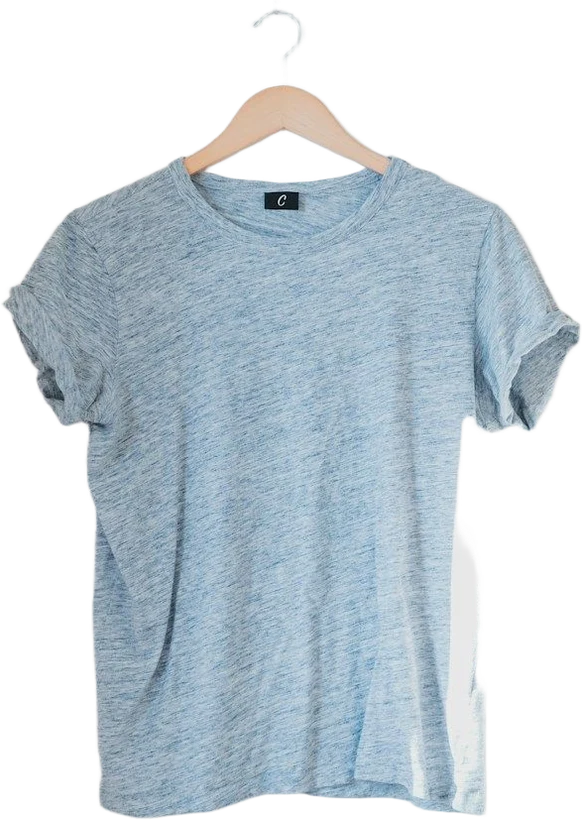
The everyday tee: prepared in PicDadAfter
The everyday tee. A real photo, before and after PicDad.

What makes it tricky

Clothing, honestly

  • Creases. PicDad doesn’t remove creases yet. Steam or smooth the garment before the photo: it shows on white more than on a busy floor.
  • Hangers. A hanger stays in the cut-out, as part of the photo. That’s fine on most resale apps. If you don’t want it, lay the garment flat instead.
  • White on white. A white shirt on a white sheet is hard to separate. Lay light clothes on a darker surface and dark clothes on a lighter one.

Before you shoot

A better photo to start from

  1. Smooth or steam the garment first
  2. Flat lay: shoot from straight above, on a surface that contrasts with it
  3. Hanger: hang it against a plain wall or door, in daylight
  4. Add close-ups of the label, fabric, measurements and any flaws

Your next listing starts here

Give your product
a little breathing room.

Bring a photo. Pick a starting point. Make it yours.

Open the studio ↗︎